Overview
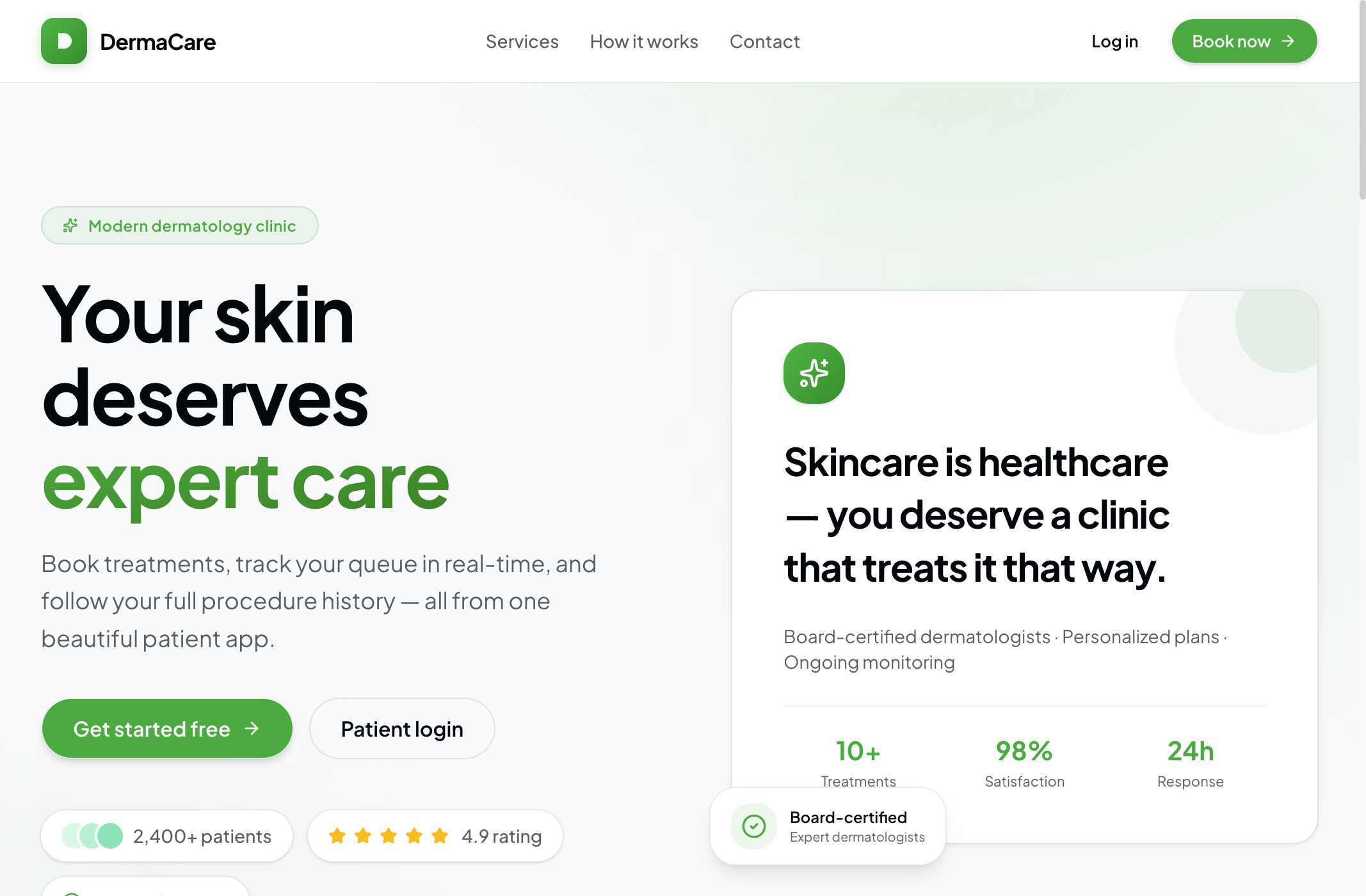
DermaCare is a full-stack skin clinic management platform built as a Turborepo monorepo. It connects two experiences around one NestJS API: a patient-facing portal for booking and recovery follow-up, and an admin dashboard for day-of operations, patient records, and clinic configuration.
The product treats dermatology as ongoing care — not a one-off appointment. Patients book treatments, check in with a QR code, watch their place in the clinic queue in real time, review before-and-after records, and submit structured recovery check-ins. Staff manage the same journey from the other side: confirm reservations, run the walk-in queue, document procedures, and respond when recovery symptoms are flagged.
The Challenge
Dermatology and aesthetic clinics often stitch together booking tools, paper charts, WhatsApp follow-ups, and a whiteboard queue. That fragmentation creates real friction:
- Broken patient journey: Booking, day-of waiting, procedure history, and post-care live in different places
- Queue opacity: Patients check in and wait with little visibility into progress
- Recovery gap: After peels, laser, or microneedling, clinics need structured check-ins — patients often under-report complications until they escalate
- Staff context switching: Front desk, clinicians, and admins need one view of today's schedule, live queue, flagged recoveries, and service performance
- Timezone-sensitive scheduling: Clinic hours, booking windows, and queue numbering must respect local clinic time — not the server's clock
DermaCare was built to close that loop: one clinical workflow from first booking through lasting recovery.
The Solution
DermaCare addresses these challenges with a dual-app architecture on a shared API and design system:
- Patient portal: Marketing landing, auth, booking with availability, reservations, care dashboard, treatment records, and recovery monitoring
- Admin dashboard: Operations KPIs, live queue, reservation management, patient CRM, procedure records, monitoring review, services catalog, and clinic settings
- Real-time queue: Socket.IO updates so patients and staff see call/complete status without refreshing
- Protocol-driven recovery: Per-service recovery protocols with milestones, check-in days, and alert symptoms that auto-flag concerning reports
- Shared clinical UI: One
@repo/uipackage (shadcn/Radix + Tailwind) keeps patient and staff experiences visually consistent
Technical Architecture
Monorepo Structure
derma-care/
├── apps/backend   NestJS REST + WebSocket API
├── apps/web       Next.js patient portal
├── apps/admin     Next.js staff dashboard
└── packages/
    ├── ui         Shared shadcn design system
    └── dates      Timezone-aware clinic scheduling helpers
Frontend
Both apps use the Next.js App Router with a shared clinical design language:
- Next.js 15 and React 19 with TypeScript
- Tailwind CSS v4 + shadcn/ui (
radix-nova) via@repo/ui - TanStack Query for client data fetching
- React Hook Form + Zod for validated forms
- Plus Jakarta Sans with a white · black · green clinical theme
- Next.js rewrites proxy
/api/*to the Nest backend to keep browser calls same-origin
Backend & Real-time
- NestJS 11 REST API with Swagger docs, role guards, and validation
- Prisma + PostgreSQL 16 for typed persistence and migrations
- Better Auth for email/password sessions (optional Google OAuth, email OTP)
- Socket.IO namespace
/queuefor live queue events (queue:updated,queue:called,queue:completed) - Resend for transactional email (reservations, password reset, OTP)
- UploadThing for profile photos, before/after records, and monitoring images
Shared Domain Logic
@repo/dates: Clinic timezone boundaries, operating hours, and booking windows (default clinic TZ: Asia/Manila)- Availability engine: Server-computed slots per service/date with monthly summaries
- Daily queue counters: Atomic per-day numbering with a configurable
maxQueueSize - RBAC:
PATIENTvsADMIN, with middleware redirecting each role to the correct app origin
Key Features
1. Patient Care Dashboard
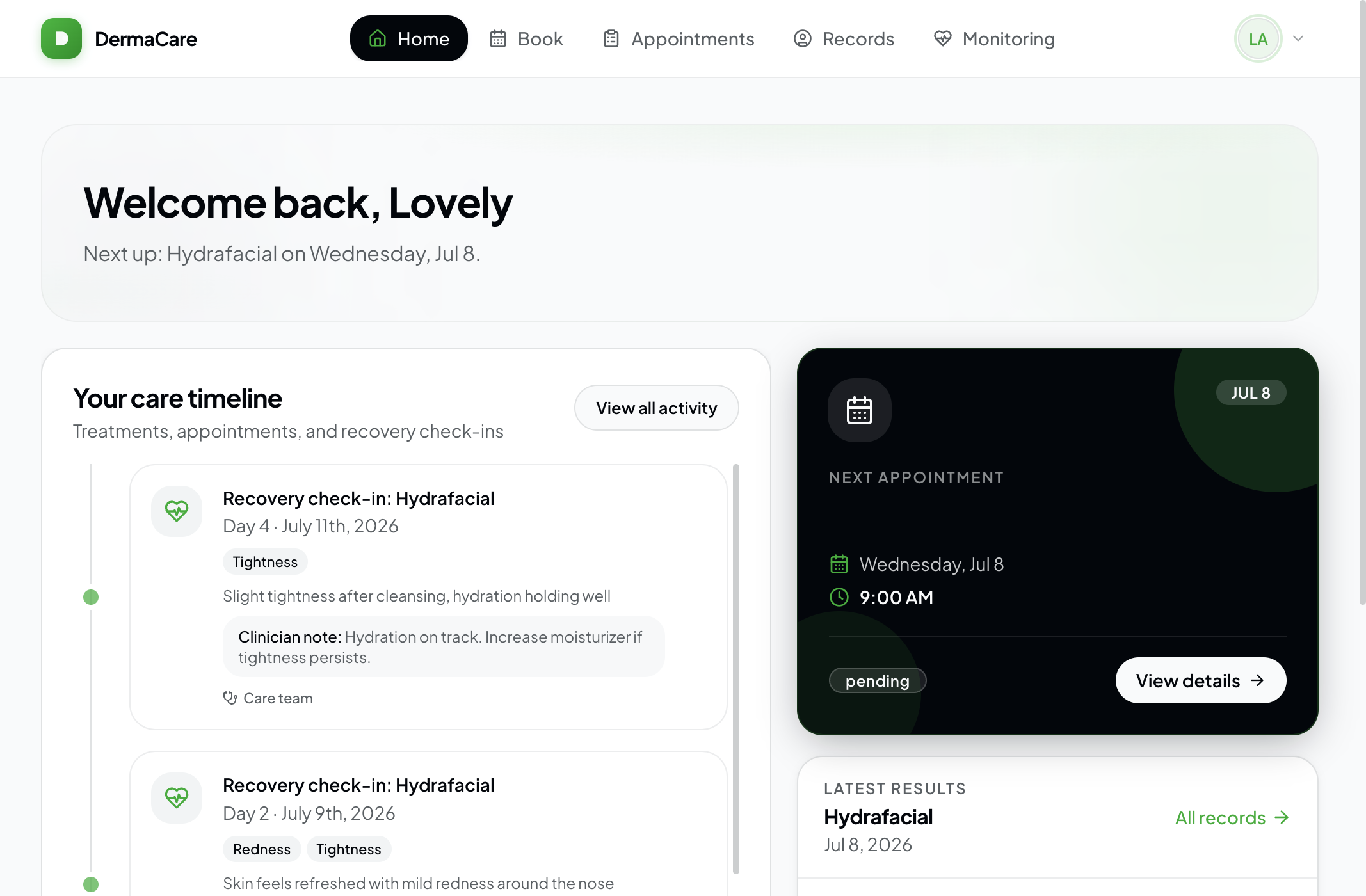
After login, patients land on a care journey home: welcome context for the next visit, a timeline of treatments and recovery check-ins with clinician notes, upcoming appointment details, and latest results — the hub for the full clinical journey.
2. Patient Booking & Check-in
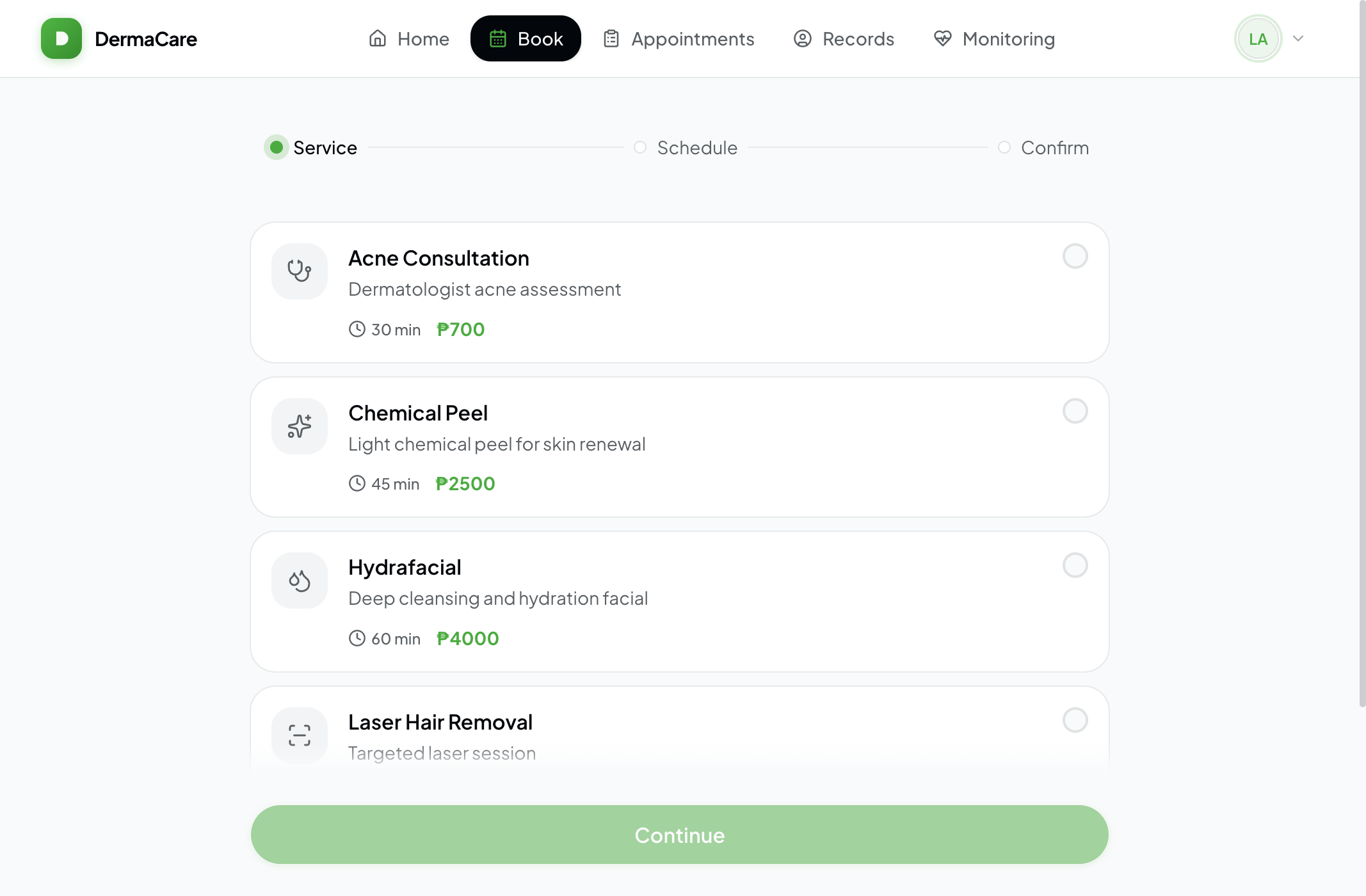
Patients browse live services, pick a date within the clinic booking window, choose an available slot, and confirm with a swipe-to-confirm interaction. Successful bookings surface a QR check-in code for day-of arrival.
3. Real-time Clinic Queue
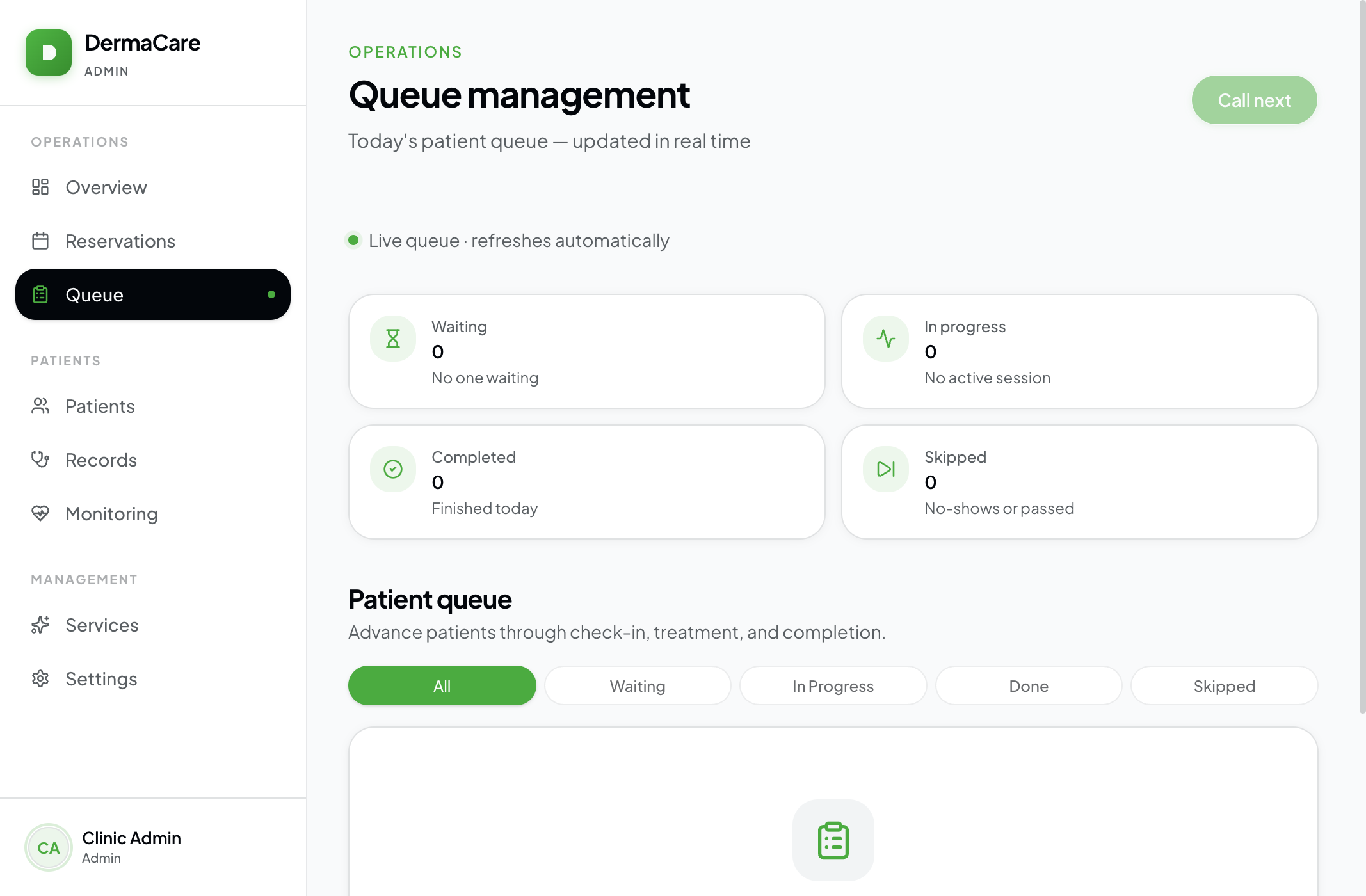
Confirmed visits enter a walk-in queue. Staff call the next patient and move statuses through waiting → in progress → done/skipped. Patients and staff see live updates via Socket.IO — no polling refresh loop.
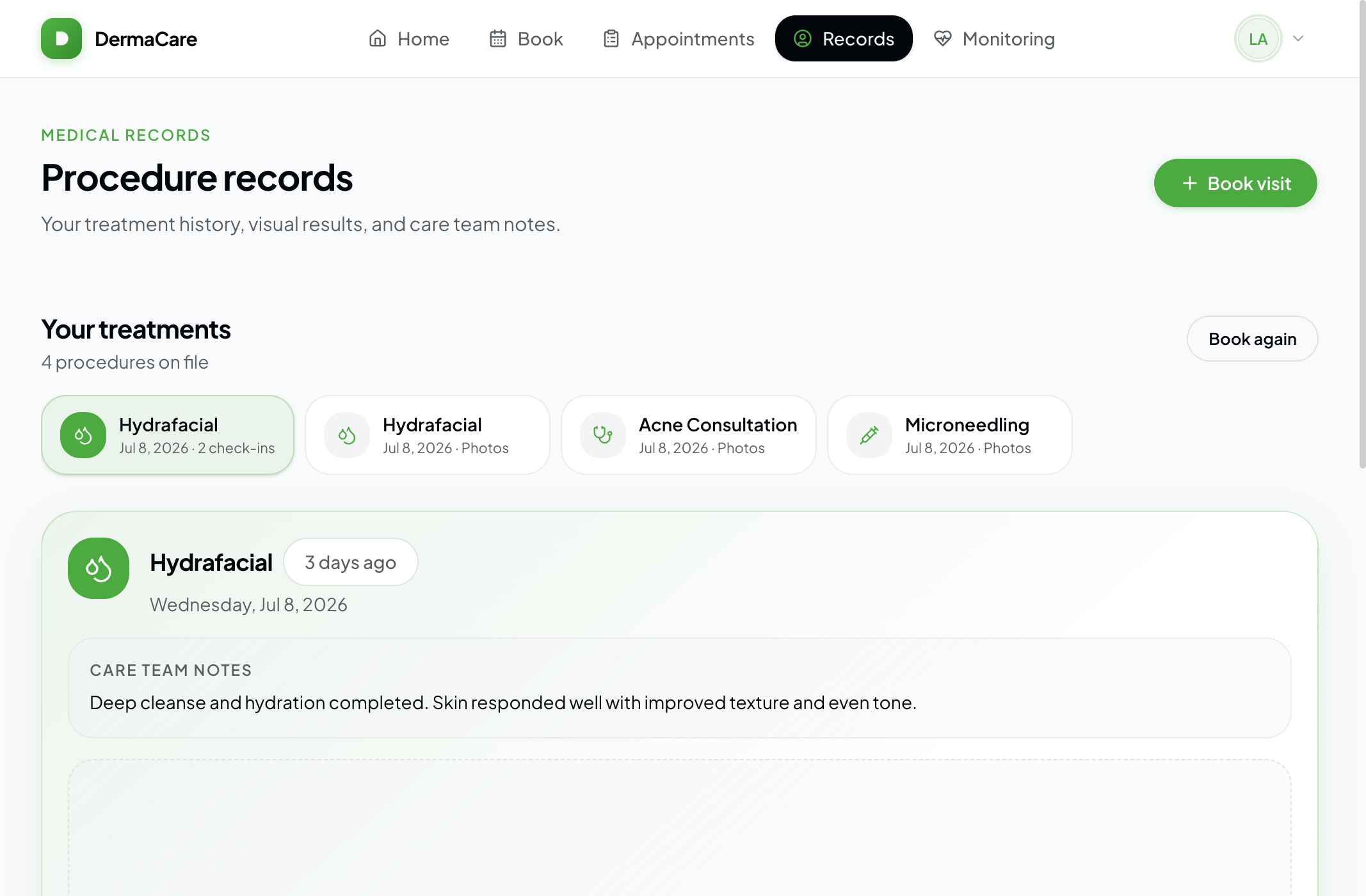
4. Treatment Records & Before/After
Clinicians create procedure records linked to reservations, including before-and-after photo uploads. Patients review their history in a dedicated records view with a before/after viewer shared from @repo/ui.
5. Post-Procedure Recovery Monitoring
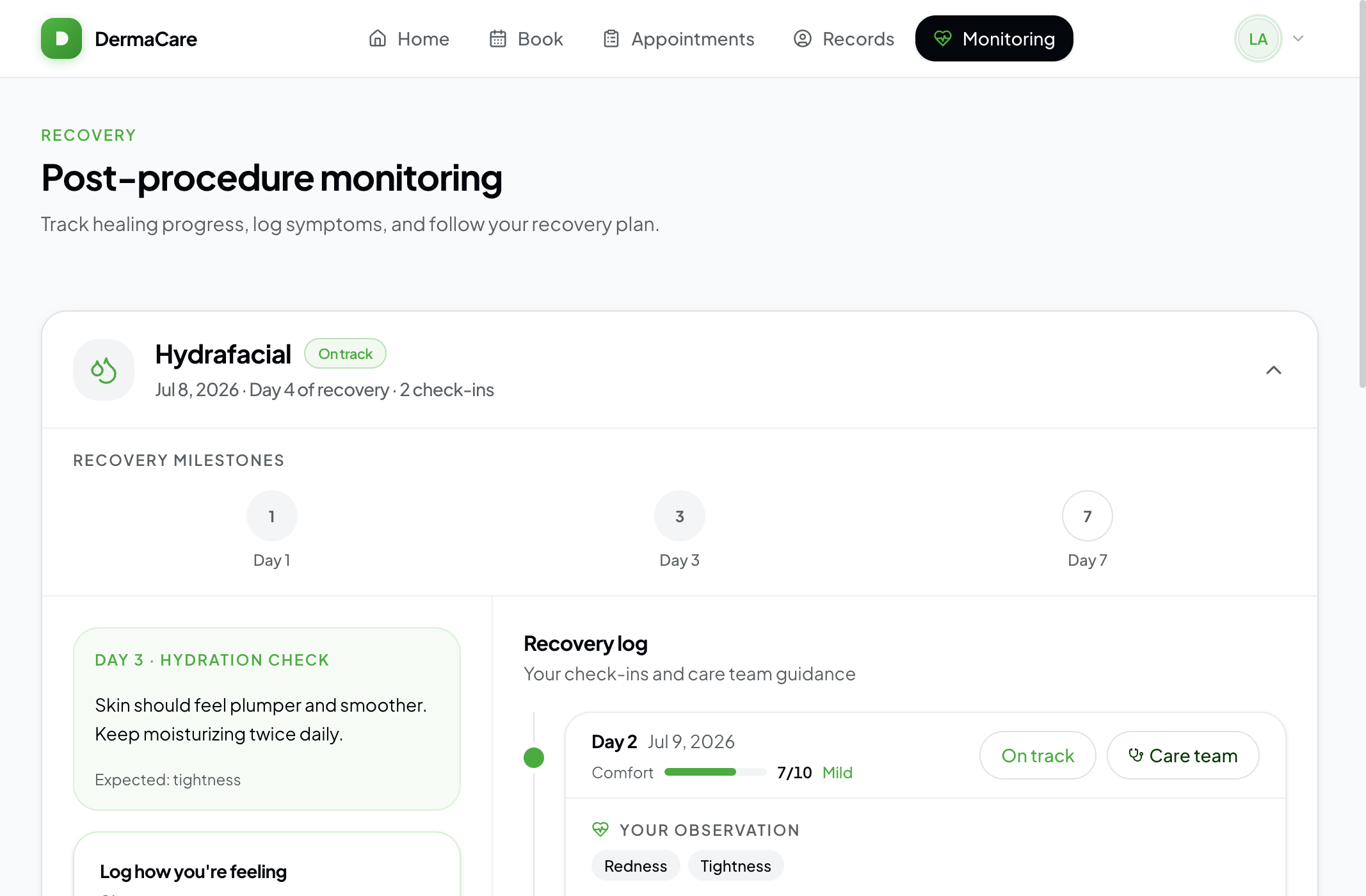
Each service can define a recovery protocol: duration, check-in days, milestone guidance, expected symptoms, and alert symptoms. Patients submit check-ins with symptom chips, comfort scores, and optional photos. Matching alert symptoms or low comfort scores flags the entry for clinician review and notification.
6. Staff Operations Dashboard
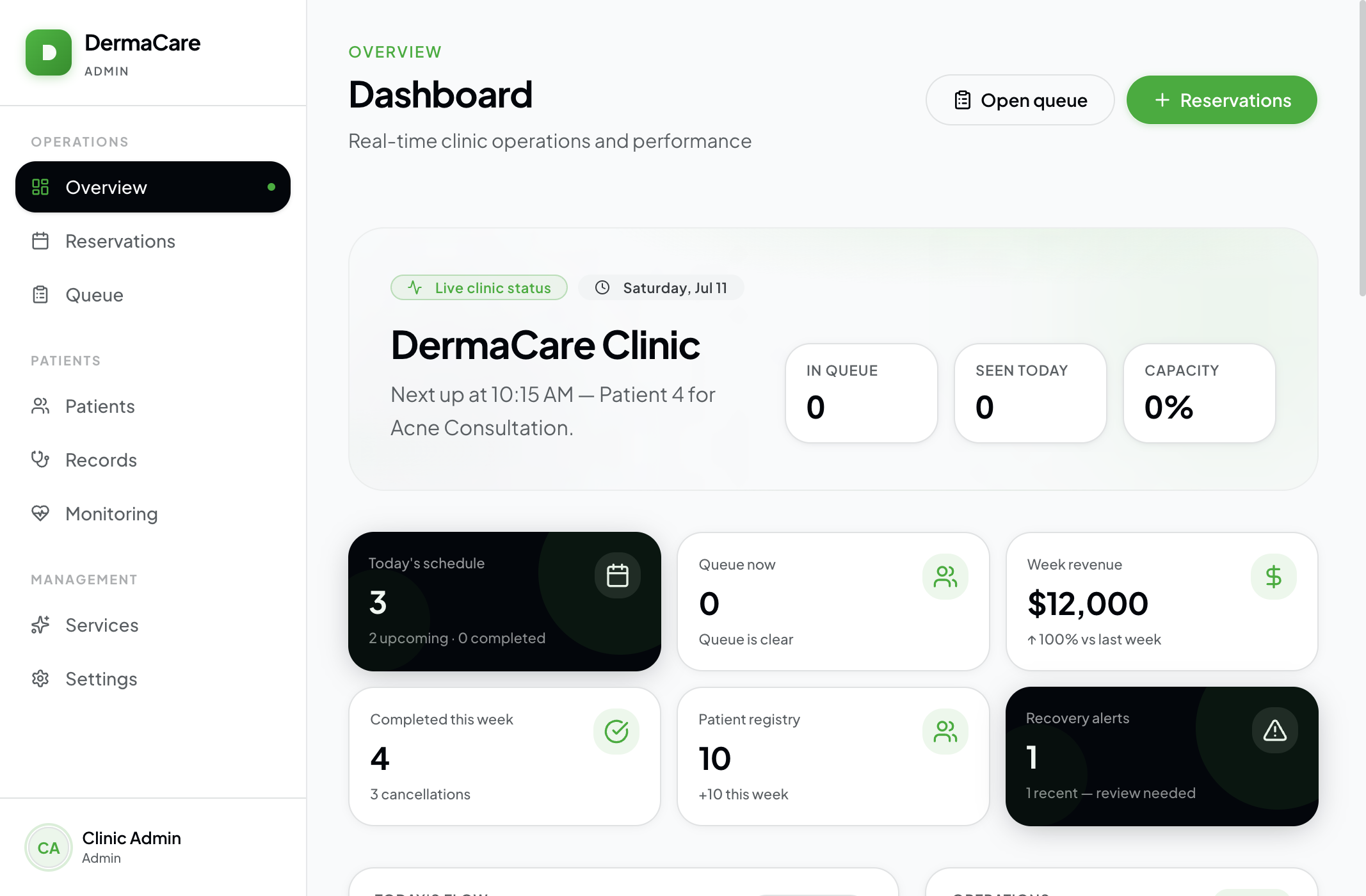
The admin home surfaces today's schedule, live queue, flagged monitoring alerts, weekly completed-booking revenue charts, and top services — giving front desk and clinicians a single operations pulse.
7. Clinic Configuration
Admins manage the service catalog (pricing, duration, icons, recovery protocols) and clinic settings (name, timezone, operating hours JSON, booking window, max queue size) without code changes.
Design Philosophy
DermaCare's UI follows a Modern Clinical direction: calm white surfaces, precise black typography, and a green primary for health and progress — not spa pastels or generic SaaS purple.
- One journey, two shells: Patients get a glass sticky nav and bento care dashboard; staff get a grouped sidebar (Operations / Patients / Management)
- Feedback over decoration: Swipe-to-confirm, queue status chips, recovery alerts, and timeline milestones communicate state clearly
- Shared components, distinct jobs: Brand logo, calendars, monitoring timeline, photo capture, and before/after viewer live in
@repo/uiso both apps stay coherent - Mobile-ready patient flows: Sheet navigation and touch-friendly booking for the waiting-room phone use case
Impact
For a single clinic deployment, DermaCare consolidates:
- Front desk: Reservations, walk-ins, and queue control in one place
- Clinicians: Procedure documentation and flagged recovery review without chasing messages
- Patients: Booking → queue visibility → records → recovery check-ins in one app
- Operations: Timezone-correct scheduling and protocol-driven follow-up instead of ad-hoc reminders
Lessons Learned
- Monorepo boundaries matter: Sharing UI and date logic across patient/admin apps prevented timezone bugs and visual drift — but auth cookies and CORS origins need careful multi-app configuration
- Real-time is a product feature: Queue WebSockets turned a static status page into something patients actually trust during wait time
- Protocols beat free-text follow-up: Structured milestones and alert symptoms make monitoring actionable for staff instead of another inbox of photos
- Role-split apps scale UX better than one mega-dashboard: Patients and admins need different information density; separate Next apps with shared packages kept both focused
Future Enhancements
Natural next steps for the platform:
- Payment and invoicing (Stripe) tied to completed services
- SMS/WhatsApp reminders for appointments and recovery check-ins
- Multi-clinic / multi-tenant support beyond the singleton clinic settings model
- Calendar sync and richer staff roles beyond PATIENT / ADMIN
- Deeper analytics on recovery outcomes per service protocol
Conclusion
DermaCare is a clinic operating system for modern dermatology: booking, live queue, clinical records, and recovery monitoring on one stack. By pairing a NestJS API with twin Next.js apps and a shared design system, it delivers a coherent patient journey and a practical staff toolkit — from first booking to lasting results.
Live patient app: derma-care-web.vercel.app · Staff app: derma-care-admin.vercel.app